
VeerGame Login
VeerGame is a colour-prediction and mini-games platform where players can try Wingo, K3, 5D, and Aviator, alongside slots, sports, and live-casino titles. This guide covers everything you need in one place — registration, login, the app download, deposits and withdrawals, gift codes, and the Refer & Earn program. This is an independent guide site, not the official VeerGame platform.

Official Access Links
Register through the invite link below. This guide does not host the VeerGame app file.
What is VeerGame?
VeerGame is an online gaming platform built around colour-prediction and lottery-style games such as Wingo, K3, and 5D, alongside fast-round titles like Aviator and a broader library of slots, sports, and live-casino games from providers including JILI, CQ9, Evolution, JDB, and MG. Players register with a mobile number, deposit through UPI or USDT, and withdraw winnings once they meet the platform's requirements.
This guide walks through everything a new or existing VeerGame player typically needs: step-by-step registration and login, downloading the app (APK), adding a bank account and depositing funds, withdrawing money, redeeming gift codes, and how the Refer & Earn program and other bonus features work. Every page here is written and maintained independently of VeerGame — we are not the official platform, and no account, deposit, or gameplay activity runs through this site. For any account action, always use VeerGame's own app or website.
How VeerGame Works
The platform runs on a simple four-step loop: register a phone-number account, deposit funds into your wallet, play across any of the four game categories, then withdraw winnings back to a bank account, UPI ID or USDT address. Bonuses hook into that loop at different points rather than arriving all at once.
Understanding the order matters, because most problems people hit are sequencing problems — trying to withdraw with bets still open, or expecting a first-deposit bonus after the first deposit has already been made. The full walkthrough maps each step to the guide that covers it in detail.
Registration & Login
Registration is phone-number based, with a country-code selector that defaults to +91. You set a password of at least eight characters mixing upper-case letters, lower-case letters and numbers, optionally enter an invite code, accept the privacy agreement, and tap Register.
Logging back in afterwards uses the same phone number and password — there was no email login in the screens we documented. If the password is the thing tripping you up, the reset flow needs your phone number plus an OTP, and the forgot-password guide covers it step by step.
Downloading the App
The Android app is distributed as an APK from a download button at the top-right of the platform's own home page, so installing it means allowing your browser to install unknown apps once, then opening the downloaded file. We deliberately do not host the APK here — download it only from the official domain.
There was no native iOS app in the flow we documented; on iPhone the mobile website behaves the same way and takes the same login. Fake APK mirror sites are the main risk in this category, so check the app name and icon before you install anything.
Depositing Money
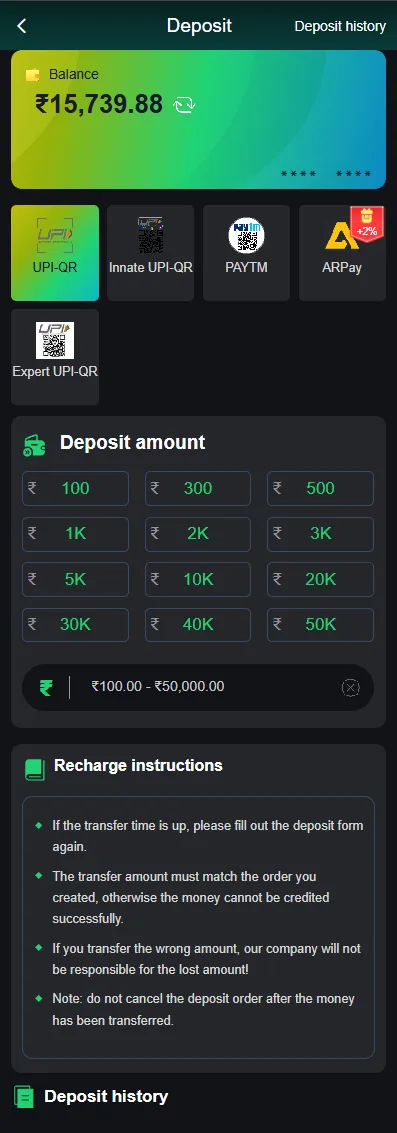
Deposits run through the Wallet screen, which lists several channels: UPI-QR, Innate UPI-QR, Expert UPI-QR, Paytm, USDT and ARPay. You pick a method, pick a channel, enter an amount, then complete the payment by scanning the QR code the app generates.
The single rule that causes most failed deposits is the amount match — the sum you transfer has to match the generated order exactly, or the payment won't be credited automatically. If the timer on the order expires you need to start the deposit form again rather than paying against the old QR code.
Adding a Bank Account
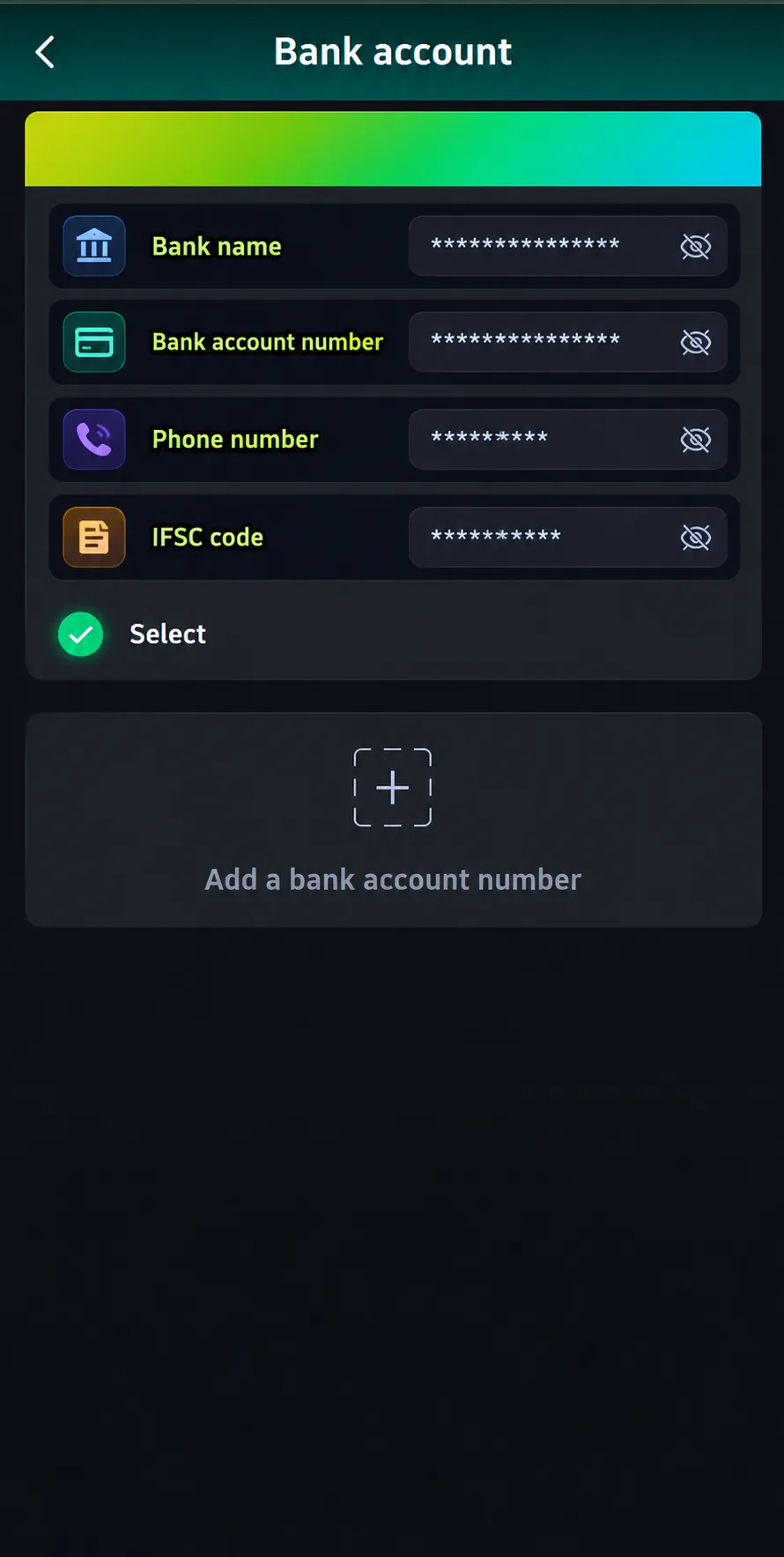
Bank-transfer withdrawals need a saved payout account, added under Wallet → Withdraw → Add Bank. The form asks for bank name, the recipient's full name, account number, phone number, email and IFSC code.
The recipient name has to match the name registered on the account — a mismatch there is one of the most common reasons a withdrawal gets rejected after it looked like it went through. UPI ID and USDT are the alternatives if you would rather not save bank details at all.
Withdrawing Money
Withdrawals are available in a daily window from 00:10 to 23:50, capped at three per day, with each transaction between ₹100 and ₹30,000 according to the in-app screen. Your total active bet has to be ₹0 first, so any open bets need to settle before a request will go through.
- Tap the Wallet icon, then Withdraw.
- Enter the amount, within the ₹100-₹30,000 range.
- Select a saved bank account, UPI ID or USDT address — or add one.
- Enter your login password to confirm the request.
- Track the result in Withdrawal History rather than resubmitting.
Welcome Bonus
New members can claim a first-deposit welcome bonus worth up to ₹488, usable across slots, lottery, sports and casino play. Because it is tied to the first deposit specifically, the order of operations matters — claiming it is not something you can go back and do later.
Bonuses appear on the Bonus details screen under To be collected, Received and Expired tabs, filterable by type and date, so you can confirm whether something has actually landed. The full guide covers who qualifies and the mistakes that void the offer.

Refer & Earn Program
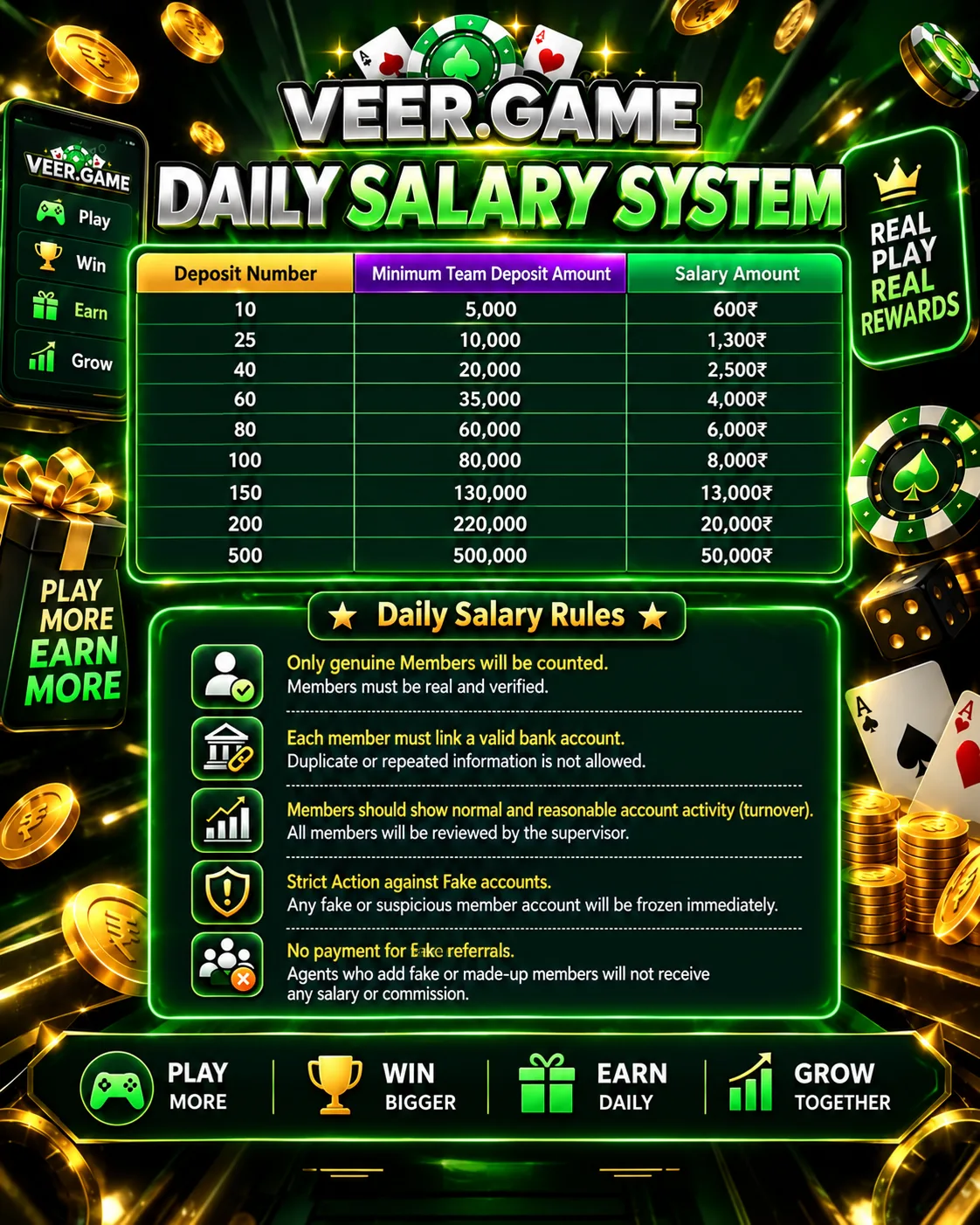
Refer & Earn pays for invites on a ladder that starts at ₹38 for a single qualifying invite and scales to ₹3,00,000 at 5,000 invites, alongside recharge-tier bonuses between ₹38 and ₹388 depending on how much an invited player deposits. There is also an agency structure with rebate levels from L0 to L10.
The critical detail from the in-app rules screen is that both conditions have to be met — the invite-count tier and the deposit amount for each invited account — before a reward pays out. Approved rewards reach your wallet within about ten minutes, while unmet invitation records are cleared when the event period ends.

How to Use the Referral Program
The mechanics live in the Agency section, where Copy invitation code gives you the link to share and the dashboard tracks what happens next. It separates direct subordinates from your wider team, each with registration counts, deposit numbers, deposit amounts and first-deposit counts.
The same screen surfaces yesterday's total commission and your rebate ratio, which is how you tell whether sharing is actually earning. This guide walks through finding the code, reading the dashboard and getting paid.
Super Jackpot
The Super Jackpot rewards high-multiplier wins rather than deposits: hitting 10x-20x pays ₹35, climbing through ₹55, ₹135 and ₹195, up to ₹355 for a win at 60x or above. Qualifying bets run from ₹30 to ₹999,999.
The reward is only valid for one day, so an unclaimed jackpot bonus expires quickly. The full guide covers the tier table and where to claim it.

Daily Attendance Bonus
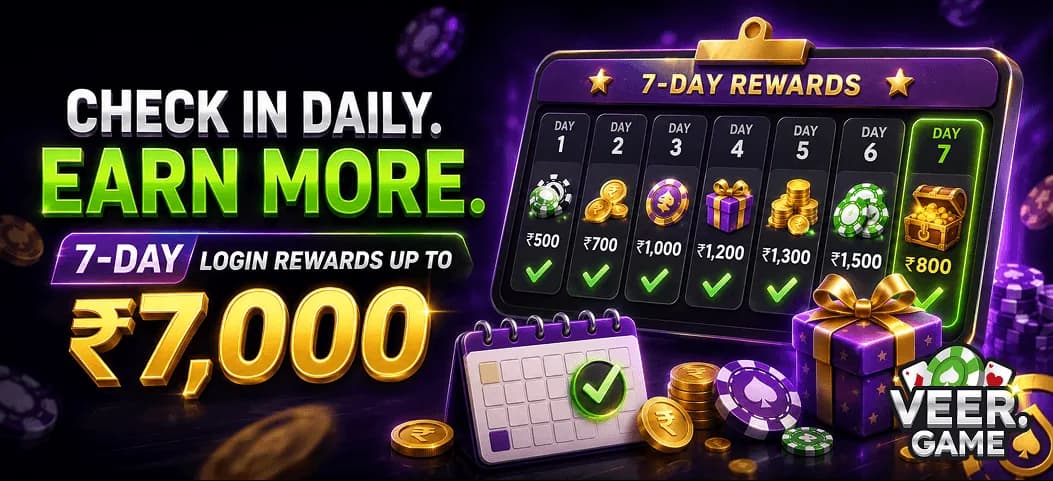
The attendance bonus is a seven-day check-in streak: open the app each day, claim that day's reward, and the amounts increase as the streak continues. Miss a day and the streak restarts, which is what makes it the easiest bonus to lose by accident.
Invite Wheel
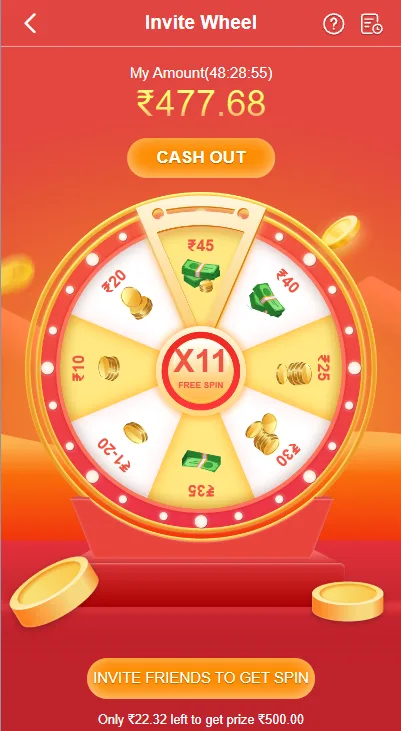
The Invite Wheel is a spin-to-win activity with segments worth ₹10 through ₹45 plus a X7 free-spin centre, and a cash-out target of ₹500. You get three free spins a day, resetting at midnight, across a three-day activity cycle before it resets.
Reaching ₹500 on the wheel does not by itself mean you can withdraw it: cash-out requests are rejected with 'Invitation Requirement Not Met' unless the invite conditions are satisfied, and a 1x turnover applies before withdrawal. That catch is worth reading about before you spend time spinning.
Games & Providers
Games are grouped into four verticals — slots, lottery, sports and casino — with the home screen surfacing a Popular row of 24 games and a Lottery row of 4. Fruit 777, Gold Rush and Card Slot are among the titles promoted on the landing screen.
The catalogue is supplied by outside studios: Choice, CQ9, Evolution, JDB, JILI and MG all appear as provider logos in the app. Evolution handles the live dealer tables, while the others contribute most of the slot and arcade content.

provider JILI 
provider CQ9 
provider Evolution 
provider JDB 
provider MG 
provider Choice
Using a Gift Code
Gift codes are redeemed under Account → Gift, where you paste the code and tap Receive. They are distributed by agents rather than generated by the platform, so codes circulate through channels and communities rather than appearing in your account on their own.
One code claims one gift. Cash rewards land straight in your wallet, while coupon rewards go to My Top-Up Coupons, where they carry a spending threshold and an expiry date worth checking before you rely on them.

Join Our Telegram Channel
Gift codes are time-limited and usually shared as they drop, which is why a Telegram channel is the practical way to catch them. The channel also carries bonus alerts and notes when platform details change.
It is run as part of this independent guide, not by the VeerGame operator, and nobody there will ever need your password. Treat any message asking for account credentials as a scam.

Help & Support
Anything specific to your account — a locked login, a missing deposit, a rejected withdrawal — has to go through the platform's own Customer Service, since an independent guide has no access to accounts or transactions. The help page explains what to have ready before you contact them, which usually means your registered number and the relevant order number.
Responsible Gaming
Real money is at stake and losses are the normal outcome, not the exception. Set a deposit limit you would be comfortable losing entirely before you start, treat it as entertainment spending rather than income, and stop chasing a losing session rather than depositing again.
The platform is for adults of legal age in their own jurisdiction. If gambling has stopped feeling optional, the responsible gaming page covers warning signs and where to get help.
Disclaimer
This is an independent informational site with no affiliation to, endorsement from, or operational connection to VeerGame. We document the platform's screens and flows; we do not take deposits, hold balances or process withdrawals.
Figures and rules described here can change without notice, and nothing on this site is financial or legal advice. Verify current terms on the official platform before acting on anything you read here.
FAQ
The questions below are the ones that come up most often. The full FAQ collects the answers from every guide on the site into a single page.
Is this the official VeerGame website?
What can I find here?
Which bonus should I start with?
Conclusion
The guides on this page are ordered the way you will actually meet the platform: register, install the app if you want it, deposit, understand which bonus applies when, then save a payout account before you try to withdraw. Working through them in that order avoids most of the avoidable problems — a first-deposit bonus missed because the deposit came first, a withdrawal rejected because a bet was still open, or a payout stuck because a recipient name did not match.
Every figure quoted across this site came from the platform's own screens at the time of writing, and every one of them can change. Use these pages to understand how the mechanics fit together, then confirm the current numbers in the app before you commit money to them.
One last time, because it matters: this is an independent guide, not the official VeerGame operator. We cannot recover accounts, release withdrawals or issue bonuses, and anyone claiming otherwise while asking for your password is attempting to scam you.